The whole game in one paragraph
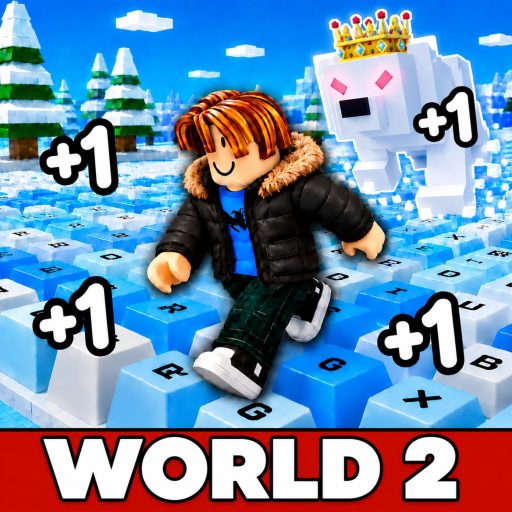
+1 Speed Snow Keyboard Escape is a Roblox incremental simulator by the group “+1 Speed Snow Keyboard Escape”, live since August 11, 2026. Every step you take across the course’s giant snowy keyboard keys adds +1 Speed to an accumulating total, and the official description sets the stakes in one line: “Speed is everything… but one wrong step and you start over.” Around that rule the game layers big multipliers to unlock, friends to play with, an ASMR-soft winter soundtrack, and a leaderboard race to be the fastest player on the server. Since launch it has grown to 30.1 million visits (verified at the October 18, 2026 check) and a 93.4% rating, added World 2 with new arenas and an Item Shop (creator announcement), rotated [X] boost tags in its listing title, and now shows a third world tracked by community analytics. A typical session lasts about five minutes — one more run, one more jump, a slightly higher total. The guides below cover the three decisions that actually change your results: how to start, how to keep control as pace rises, and when a reset is worth it.
Choose your guide
Each summary below is a real digest of the full guide — follow it through when the problem matches.
Start here
Your First Snow Keyboard Run
The first-session plan: open the exact official game, learn the loop (move to gain Speed, jump across snowy keys, and remember one wrong step restarts the run), identify the four on-screen numbers — total Speed, Level, Custom Speed and Wins — and pick a first goal you can actually measure. It closes with the restart-as-observation habit: treat each failed run as data about your approach, timing or takeoff point, not as bad luck.
Read this before the others if everything is new.
Movement control
Custom Speed: Control Your Jumps
Overshooting jumps is the most common failure as your Speed grows, and this guide isolates the fix. It separates the three displays players confuse — accumulated Speed (growth), Level (progress bar) and Custom Speed (a movement setting with its own current value and maximum) — then walks a one-variable practice method: pick one short jump, change the setting by one small step, repeat, and record whether the landing was short, on target or long. It also explains why the Custom Speed value never belongs in the Speed Calculator.
Read this when landings keep going long.
Before you reset
Rebirth, Speed & Level
A Rebirth control and multiplier row are visible in the game, but the creator has published no reset cost or retention rule, so this guide refuses to invent one. Instead it gives a pre-reset checklist: write down what you want the reset to solve, read the current in-game confirmation for its requirement, benefit and what is kept or lost, and only then decide. It closes with the re-measurement rule — take a fresh timed Speed sample after any reset, because your old samples described your old conditions.
Read this before pressing Rebirth.
Where the world status fits
Guides are written against the whole game, so a quick map helps: World 1 is the base snowy-key course described in the official description; World 2 is live per the creator’s announcement (new arenas, locations, an Item Shop), with its unlock requirement shown only inside the game; and a third world appears in community videos and in Rolimons’ sub-place tracking as of the October 3, 2026 check, while official surfaces still name only Worlds 1 and 2 (re-checked October 18, 2026). The updates page carries the dated timeline and the evidence for each row, and this hub’s guides stay valid across worlds because they teach measurement and control rather than a fixed route.
Two wiki pages extend the same measured approach to the game’s systems: the boost guide for the multiplier labels (Admin, Daily Streak, Items, Gamepass, Trail + Aura, Rebirth and Friends) and the Item Shop & Game Passes page for what official sources verify about purchases today.
Turn the guides into numbers
Every guide above ends the same way: measure, then plan. The two planners on this site do the arithmetic on numbers from your own session — no invented universal rates. The Speed Calculator converts a timed gain sample (say, 300 Speed in 60 seconds) into the estimated time from your current total to a target. The Wins Planner converts your observed reward per successful run, attempt length and success rate into successful runs, total attempts and time for a Wins goal. Both carry worked examples and FAQs so you can check the math before trusting it.
Context for expectations: the game’s average session runs 5.41 minutes, and the all-time concurrency peak hit 40,518 all-time (about 2 weeks before the October 3 check, i.e. mid-September) in mid-September — this is a grind-in-short-bursts game, so set goals sized for sessions like yours, not like a leaderboard’s top account. World 2’s exact entry requirement appears only inside the game, so read the in-game prompt rather than trusting a video’s number.
Common questions
What is the game about, in short?
+1 Speed Snow Keyboard Escape is a Roblox incremental simulator (launched August 11, 2026) where every step across snowy keyboard keys adds +1 Speed. One wrong step restarts the run, so the game is about balancing growing pace against jump control while chasing multipliers, Worlds and a server leaderboard.
Which guide comes first?
The beginner guide gives the first-session overview. Go to Custom Speed when overshooting jumps is the immediate problem, and to Rebirth, Speed & Level when a reset or the different counters are confusing you.
Are fixed reset requirements listed?
No. Current exact costs and retention rules have never been published by the creator. Read the current in-game confirmation.
Where do I turn practice into numbers?
Measure a short Speed sample or record your run rewards, then use the Speed Calculator or Wins Planner - both work from your measurements instead of an invented universal rate.